 MarketAgent
At the stand
Sell where the produce is
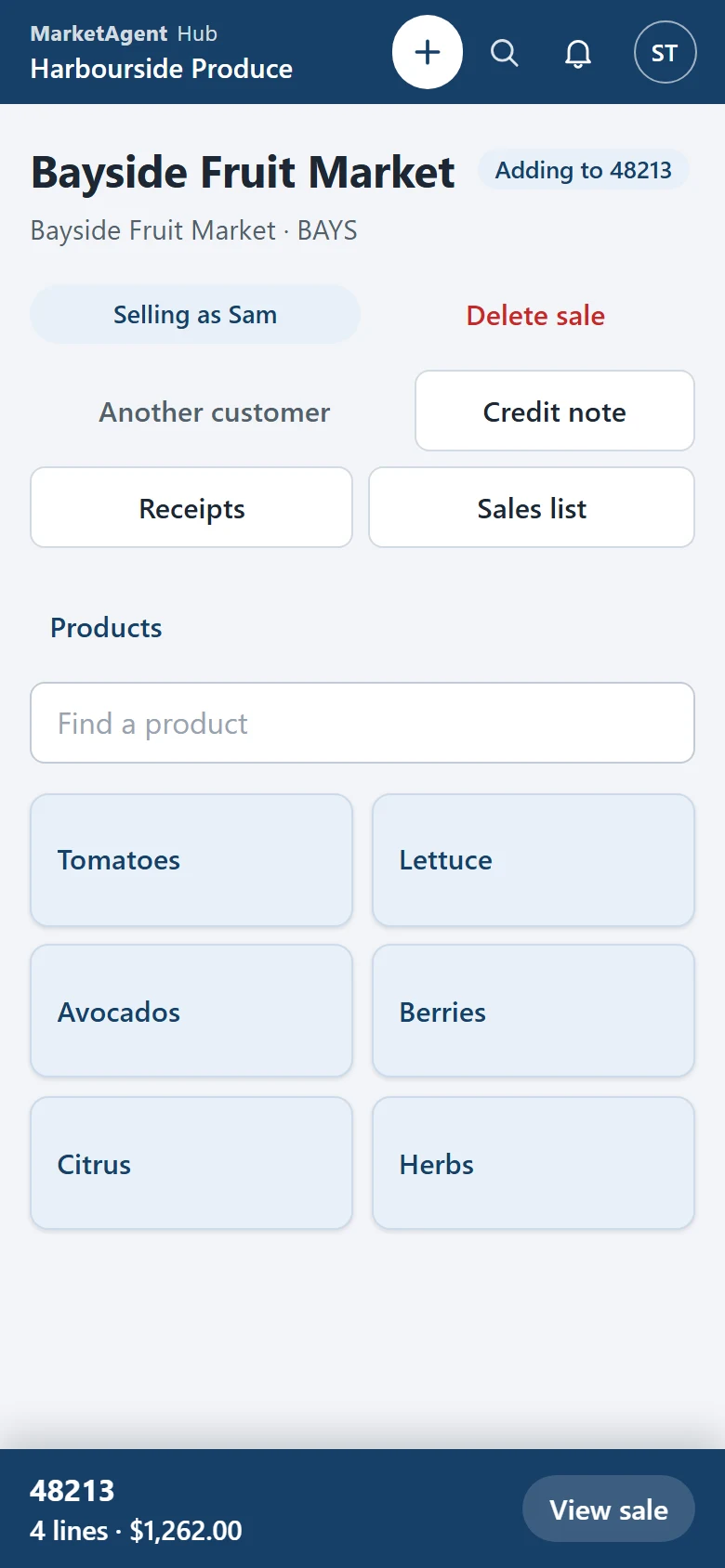
Enter a sale on your phone, seeing what each line has sold at today and what this customer last paid, and take the payment there too.
- Sales
- Receipts
- Price memory
Now taking pilots
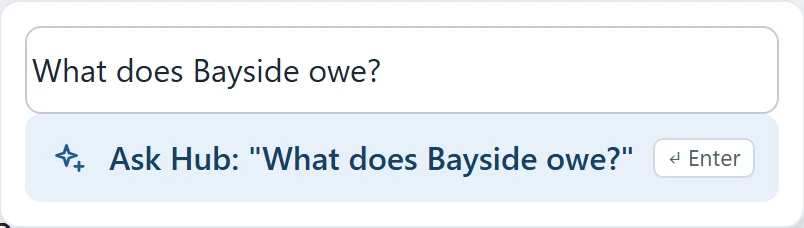
Buyers order online and growers tell you what's coming. Your staff sell, book in and price on their phones. Ask Hub a question, and its AI opens the answer.
For your staff
Sales, book-in, pricing and stock on a phone or in any browser - wherever the work is.
At the stand
Enter a sale on your phone, seeing what each line has sold at today and what this customer last paid, and take the payment there too.
In the warehouse
See what growers have advised before it arrives, book it in as it comes off the truck, photograph the produce for the grower, and do the stock count on a phone.
In the office
Price consignments by sales or by average and email the payback advice from your own mailbox, and your growers see it in Connect too. Customers and suppliers, credit notes, adjustments, pallets and reports are all here.
At home
Accept tomorrow's Connect orders and growers' advices, read the day's sales and see who owes what - from wherever you are.
Each person signs in with their own Microsoft account and sees what their rights allow.

For your buyers and growers
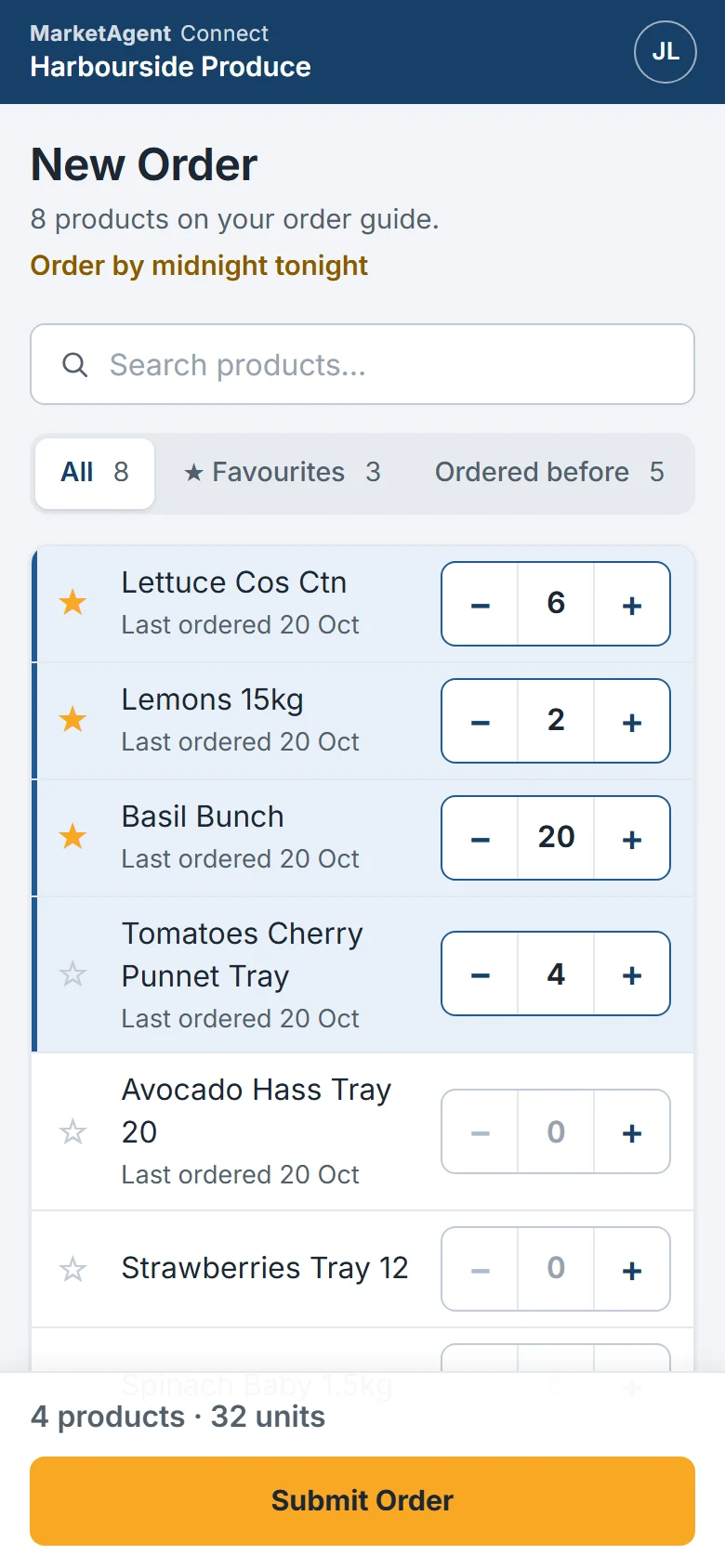
Your buyers order online instead of by phone, at any hour. You invite them, and they order from what you offer them. Your growers tell you what they're sending, and see their own consignments and documents.
Connect is an optional add-on to Hub: your staff accept its orders and consignments there.
Buyers order from the products you offer them, their favourites or what they ordered before.
They choose the delivery day, from tomorrow to a week out, until midnight the night before.
Orders and products carry no prices. Your staff price each sale, as they do today.
Buyers see what you accepted and supplied against what they ordered, with the docket numbers.
Invoices, credit notes and receipts for their own accounts. They can send you a photo of a payment or a problem with a delivery.
Connect installs like an app, with notifications and a daily reminder to order.
Growers tell you the day it arrives, their con. note and what they're sending, with photos.
Your staff accept it as a consignment in MarketAgent Pro, ready to book in when the truck arrives.
What they advised against what you received, then priced, settled and paid.
Payback advices, remittances and tax invoices for their own consignments.

Works with what you have
Hub and Connect work with the MarketAgent Pro you already run. Nothing is taken away, and nothing changes underneath.
MarketAgent Pro stays on your premises and keeps running as it does today.
Your staff can use Hub and your existing programs at the same time, on the same stock.
Carry on in MarketAgent Pro, as you do now.
Each change made in Hub is recorded in MarketAgent Pro, under the person who made it.
Dockets and pick slips print on the printers you already use.
A small program on your server, and nothing to install on your staff's computers or phones.
Security and hosting
Hub's and Connect's data is held in Microsoft Azure in Sydney.
Staff sign in with your business's Microsoft 365 accounts, so your security rules apply and a leaver is switched off in one place.
Buyers and growers sign in with a code emailed to them, so there's no password to forget or steal.
The program on your server connects out to the cloud. No ports are opened on your network.
Everyone works as their own MarketAgent Pro user, with the rights you give them.
Buyers never see prices on orders or products, only on their own invoices and credit notes.
The people who support your MarketAgent Pro look after Hub and Connect too.
Your wholesaler invites you by email. After that, sign in at connect.marketagent.com.au or from the app on your phone.
Book a demo
We'll show you MarketAgent Hub and MarketAgent Connect at a time that suits your trading hours. Pricing on request.